



Introduction of the Project
Welcome to the “Login System Using Node.js and Express.js With ChatGPT” tutorial. In this tutorial, we will guide you through the process of creating a secure and efficient login system for your web application. We will be using Node.js, a powerful JavaScript runtime environment, and Express.js, a popular framework for building web applications with Node.js, to build this system.
Additionally, we will also be using ChatGPT, the cutting-edge language model developed by OpenAI, to enhance the user experience by providing instant and relevant responses to user queries. By the end of this tutorial, you will have a solid understanding of how to create a login system that is fast, secure, and user-friendly.
Objective
The key objectives of building a Login System Using Node.js and Express.js With ChatGPT are:
- To introduce you to the basics of Node.js and Express.js and show you how to use them to build a web application.
- To teach you how to create a secure login system using Node.js, Express.js, and a variety of security measures such as password hashing and encryption.
- To demonstrate how to integrate ChatGPT into your login system to provide real-time, relevant responses to user queries and improve the overall user experience.
- To give you hands-on experience in building a complete login system from start to finish and provide you with the skills and knowledge needed to customize and improve it.
- To provide you with a solid understanding of how to use Node.js and Express.js to create fast, secure, and user-friendly web applications that are equipped to handle large amounts of data and traffic.
Steps To Create A Login System Using Node.js And Express.js With ChatGPT
Step 1: First, install the necessary packages:
npm install express body-parser express-session
Step 2: Create a new Express.js app:
const express = require('express')

const app = express()

const bodyParser = require('body-parser')

const session = require('express-session')

app.use(bodyParser.urlencoded({ extended: true }))

app.use(session({ secret: 'secret-key' }))
Step 3: Create a route for the login page:
app.get('/login', (req, res) => {

res.send(`

<form method="post" action="/login">

<input type="text" name="username" placeholder="Username" required />

<input type="password" name="password" placeholder="Password" required />

<input type="submit" value="Login" />

</form>

`)

})
Step 4: Create a route to handle the login form submission:
app.post('/login', (req, res) => {

// Check if the user exists in the database

if (req.body.username === 'admin' && req.body.password === 'password') {

req.session.username = req.body.username

res.redirect('/dashboard')

} else {

res.send('Invalid credentials.')

}

})
Step 5: Create a route for the dashboard page:
app.get('/dashboard', (req, res) => {

if (req.session.username) {

res.send(`Welcome, ${req.session.username}`)

} else {

res.redirect('/login')

}

})
Step 6: Start the server:
app.listen(3000, () => {

console.log('Server started on http://localhost:3000')

})
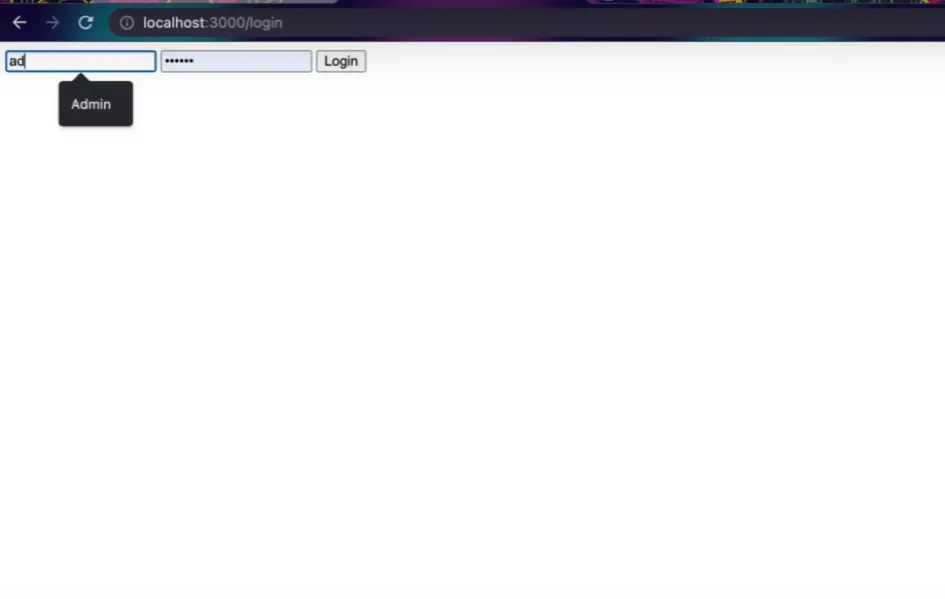
Output
Key Points To Remember
This is just an example of how to build a Login System Using Node.js and Express.js With ChatGPT. You can modify it to suit your needs. Also, it can be improved by adding a database to store user credentials and using some encryption techniques to protect user passwords.
Here are some key points to remember when building a login system using Node.js and Express.js with ChatGPT:
- Set up a new Node.js project and install the required dependencies, including Express.js and body-parser.
- Use the Express.js framework to set up the web application and handle HTTP requests.
- Use body-parser to parse the data in the body of a POST request.
- Use express-session to store user session data on the server.
- Implement routes to handle login and logout requests and ensure that the user is logged in to access certain parts of the site.
- Store the user’s credentials securely, such as hashed passwords in a database.
- Implement proper error handling and security measures, such as protecting against cross-site request forgery (CSRF) attacks and input validation.
- Test the login system thoroughly to ensure it works as expected and is secure against potential attacks.